
- Blog Categories
- Project Management
- Agile Management
- IT Service Management
- Cloud Computing
- Business Management
- BI And Visualisation
- Quality Management
- Cyber Security
- DevOps
- Most Popular Blogs
- PMP Exam Schedule for 2025: Check PMP Exam Date
- Top 60+ PMP Exam Questions and Answers for 2025
- PMP Cheat Sheet and PMP Formulas To Use in 2025
- What is PMP Process? A Complete List of 49 Processes of PMP
- Top 15+ Project Management Case Studies with Examples 2025
- Top Picks by Authors
- Top 170 Project Management Research Topics
- What is Effective Communication: Definition
- How to Create a Project Plan in Excel in 2025?
- PMP Certification Exam Eligibility in 2025 [A Complete Checklist]
- PMP Certification Fees - All Aspects of PMP Certification Fee
- Most Popular Blogs
- CSM vs PSM: Which Certification to Choose in 2025?
- How Much Does Scrum Master Certification Cost in 2025?
- CSPO vs PSPO Certification: What to Choose in 2025?
- 8 Best Scrum Master Certifications to Pursue in 2025
- Safe Agilist Exam: A Complete Study Guide 2025
- Top Picks by Authors
- SAFe vs Agile: Difference Between Scaled Agile and Agile
- Top 21 Scrum Best Practices for Efficient Agile Workflow
- 30 User Story Examples and Templates to Use in 2025
- State of Agile: Things You Need to Know
- Top 24 Career Benefits of a Certifed Scrum Master
- Most Popular Blogs
- ITIL Certification Cost in 2025 [Exam Fee & Other Expenses]
- Top 17 Required Skills for System Administrator in 2025
- How Effective Is Itil Certification for a Job Switch?
- IT Service Management (ITSM) Role and Responsibilities
- Top 25 Service Based Companies in India in 2025
- Top Picks by Authors
- What is Escalation Matrix & How Does It Work? [Types, Process]
- ITIL Service Operation: Phases, Functions, Best Practices
- 10 Best Facility Management Software in 2025
- What is Service Request Management in ITIL? Example, Steps, Tips
- An Introduction To ITIL® Exam
- Most Popular Blogs
- A Complete AWS Cheat Sheet: Important Topics Covered
- Top AWS Solution Architect Projects in 2025
- 15 Best Azure Certifications 2025: Which one to Choose?
- Top 22 Cloud Computing Project Ideas in 2025 [Source Code]
- How to Become an Azure Data Engineer? 2025 Roadmap
- Top Picks by Authors
- Top 40 IoT Project Ideas and Topics in 2025 [Source Code]
- The Future of AWS: Top Trends & Predictions in 2025
- AWS Solutions Architect vs AWS Developer [Key Differences]
- Top 20 Azure Data Engineering Projects in 2025 [Source Code]
- 25 Best Cloud Computing Tools in 2025
- Most Popular Blogs
- Company Analysis Report: Examples, Templates, Components
- 400 Trending Business Management Research Topics
- Business Analysis Body of Knowledge (BABOK): Guide
- ECBA Certification: Is it Worth it?
- Top Picks by Authors
- Top 20 Business Analytics Project in 2025 [With Source Code]
- ECBA Certification Cost Across Countries
- Top 9 Free Business Requirements Document (BRD) Templates
- Business Analyst Job Description in 2025 [Key Responsibility]
- Business Analysis Framework: Elements, Process, Techniques
- Most Popular Blogs
- Best Career options after BA [2025]
- Top Career Options after BCom to Know in 2025
- Top 10 Power Bi Books of 2025 [Beginners to Experienced]
- Power BI Skills in Demand: How to Stand Out in the Job Market
- Top 15 Power BI Project Ideas
- Top Picks by Authors
- 10 Limitations of Power BI: You Must Know in 2025
- Top 45 Career Options After BBA in 2025 [With Salary]
- Top Power BI Dashboard Templates of 2025
- What is Power BI Used For - Practical Applications Of Power BI
- SSRS Vs Power BI - What are the Key Differences?
- Most Popular Blogs
- Data Collection Plan For Six Sigma: How to Create One?
- Quality Engineer Resume for 2025 [Examples + Tips]
- 20 Best Quality Management Certifications That Pay Well in 2025
- Six Sigma in Operations Management [A Brief Introduction]
- Top Picks by Authors
- Six Sigma Green Belt vs PMP: What's the Difference
- Quality Management: Definition, Importance, Components
- Adding Green Belt Certifications to Your Resume
- Six Sigma Green Belt in Healthcare: Concepts, Benefits and Examples
- Most Popular Blogs
- Latest CISSP Exam Dumps of 2025 [Free CISSP Dumps]
- CISSP vs Security+ Certifications: Which is Best in 2025?
- Best CISSP Study Guides for 2025 + CISSP Study Plan
- How to Become an Ethical Hacker in 2025?
- Top Picks by Authors
- CISSP vs Master's Degree: Which One to Choose in 2025?
- CISSP Endorsement Process: Requirements & Example
- OSCP vs CISSP | Top Cybersecurity Certifications
- How to Pass the CISSP Exam on Your 1st Attempt in 2025?
- Most Popular Blogs
- Top 7 Kubernetes Certifications in 2025
- Kubernetes Pods: Types, Examples, Best Practices
- DevOps Methodologies: Practices & Principles
- Docker Image Commands
- Top Picks by Authors
- Best DevOps Certifications in 2025
- 20 Best Automation Tools for DevOps
- Top 20 DevOps Projects of 2025
- OS for Docker: Features, Factors and Tips
- More
- Agile & PMP Practice Tests
- Agile Testing
- Agile Scrum Practice Exam
- CAPM Practice Test
- PRINCE2 Foundation Exam
- PMP Practice Exam
- Cloud Related Practice Test
- Azure Infrastructure Solutions
- AWS Solutions Architect
- IT Related Pratice Test
- ITIL Practice Test
- Devops Practice Test
- TOGAF® Practice Test
- Other Practice Test
- Oracle Primavera P6 V8
- MS Project Practice Test
- Project Management & Agile
- Project Management Interview Questions
- Release Train Engineer Interview Questions
- Agile Coach Interview Questions
- Scrum Interview Questions
- IT Project Manager Interview Questions
- Cloud & Data
- Azure Databricks Interview Questions
- AWS architect Interview Questions
- Cloud Computing Interview Questions
- AWS Interview Questions
- Kubernetes Interview Questions
- Web Development
- CSS3 Free Course with Certificates
- Basics of Spring Core and MVC
- Javascript Free Course with Certificate
- React Free Course with Certificate
- Node JS Free Certification Course
- Data Science
- Python Machine Learning Course
- Python for Data Science Free Course
- NLP Free Course with Certificate
- Data Analysis Using SQL
- Home
- Blog
- Data Science
- 8 Best Vibe Coding Tools of 2026
8 Best Vibe Coding Tools of 2026
Updated on Aug 27, 2026 | 436 views
Share:
Quick Overview
- Top 8 vibe coding tools: Zite, Lovable, Bolt.new, Replit, Base44, Cursor, FlutterFlow, and Claude Code.
- Vibe coding tools use Generative AI and natural language prompts to help build applications with less traditional coding.
- Each tool is covered through its key features, pros, and cons, highlighting where it can fit different app development needs.
- This guide covers Top 8 Vibe Coding Tools and How to Choose the Right Vibe Coding Tool for an App.
Build practical AI development skills with the Advanced Vibe Coding Program and create applications faster with AI powered coding.
Top 8 vibe coding tools for different app types
Vibe coding tools use Generative AI, and natural language prompts to help users build applications with less traditional coding. They can make app development faster and easier, especially for prototyping, web development, business applications, and mobile projects.
Here is a table highlighting the key differences between the top 8 vibe coding tools, including what each tool is best suited for and its key strength:
| Tool | Best suited for | Key strength |
| Zite | Business apps and internal tools | Visible workflows, logic, and data |
| Lovable | Fast web app prototyping | Conversational full stack building |
| Bolt.new | AI assisted web development | Prompt, run, edit, and deploy workflow |
| Replit | Beginners and fast full stack apps | Integrated development and hosting |
| Base44 | Internal business applications | All in one business app creation |
| Cursor | Developers and technical teams | AI development with codebase context |
| FlutterFlow | Mobile and multi-platform apps | Visual development with code export |
| Claude Code | Developers working across codebases | Agentic multi file development |
Explore the Top Vibe Coding Tools in 2026 and find the right AI powered tool for building, prototyping, and developing applications.
1. Zite
Zite is concentrating on the development of business applications for situations in which teams want visibility over the workflows, data, and logic that are generated. The offering comprises app generation, databases, authentication, hosting, and workflow editing.
Key features of Zite
- Prompt based app generation
- Built in database
- Visual workflow editing
- Authentication and hosting
- Integrations with existing tools and data
Pros of Zite
- Strong visibility into generated workflows
- No per user fees
- Business focused features
- Built in hosting and database
Cons of Zite
- No code export
- Less suitable for native mobile applications
- Consumer focused applications are not its focus
2. Lovable
Lovable enables the creation of full stack web applications by means of conversational prompts; it can produce the user interface, the backend logic, the database, and the authentication procedure without users having to build each of the components manually.
Key features of Lovable
- Conversational app building
- Full stack generation
- Visual editing
- GitHub integration
- One clicks deployment
Pros of Lovable
- Accessible to non-technical users
- Fast prototype development
- Full stack capabilities
- Easy iteration through prompts
Cons of Lovable
- Large projects can consume credits quickly
- Production deployment may require additional technical work
- Complex debugging can become more difficult as applications grow
Also Read: What is Lovable.dev and Why Is It Central to Vibe Coding?
3. Bolt.new
Bolt.new is intended for carrying out AI-assisted web development right in the browser, enabling users to generate, alter, test and deploy applications by means of natural language prompts.
Key features of Bolt.new
- Browser based development
- AI assisted coding
- Live editing
- Real time error detection
- Team collaboration
- Deployment support
Pros of Bolt.new
- Fast prototyping
- Useful for developers who want code access
- Live application preview
- Collaboration features
Cons of Bolt.new
- Design customization can become complicated
- Complex application logic may require manual cleanup
- Less suitable for people who want a completely visual no code experience
4. Replit
Replit offers a cloud-based environment that enables you to create full applications with the help of AI. It brings together various features such as development, hosting, databases, authentication, and others in a single environment.
Key features of Replit
- AI assisted app planning
- Cloud development environment
- Built in database
- Hosting
- User authentication
- Automation capabilities
Pros of Replit
- Beginner friendly
- Many development services in one place
- Quick transition from idea to working application
- Useful for business teams and developers
Cons of Replit
- More complex projects can require deeper technical knowledge
- Users may need additional configuration as applications grow
- Less focused on native mobile development
5. Base44
Base44 is focused on business applications and internal tools such as dashboards, CRMs, and operational applications. It integrates AI-powered app generation with databases, authentication, hosting, and business logic.
Key features of Base44
- Natural language app creation
- Built in database
- User authentication
- Role based permissions
- Visual editing
- Integrations and actions
Pros of Base44
- Strong fit for business applications
- All in one development approach
- Useful for non-technical teams
- Advanced logic capabilities
Cons of Base44
- Advanced customization can require technical knowledge
- Native mobile development is not its main strength
- More complex workflows may require additional configuration
6. Cursor
Cursor is a coding environment powered by AI and is mainly designed for developers; it aids them in generating, editing, testing, and improving software while at the same time enabling them to stay within their usual development workflow.
Key features of Cursor
- Agent based development
- Codebase wide context
- AI autocompletes
- Multiple model options
- GitHub and collaboration integrations
Pros of Cursor
- Strong fit for experienced developers
- Deep project context
- Supports autonomous development tasks
- Works within familiar coding workflows
Cons of Cursor
- Less approachable for complete beginners
- Large or highly complex codebases can reduce effectiveness
- Some integrations may require manual maintenance
Also Read: Cursor AI vs GitHub Copilot
7. FlutterFlow
FlutterFlow is a platform for visual development and is intended for use with mobile and web applications; it enables development for iOS, Android, and web environments and offers the possibility of exporting code.
Key features of FlutterFlow
- Visual interface builder
- Logic and action flows
- Mobile and web support
- Testing tools
- Exportable application code
Pros of FlutterFlow
- Strong mobile development capabilities
- Visual development environment
- Supports multiple platforms
- Code ownership options
Cons of FlutterFlow
- More complex applications can require technical understanding
- Some advanced workflows need additional configuration
- It is more structured than purely conversational vibe-coding tools
8. Claude Code
Claude Code is an agentic coding tool which is designed to function across various codebases; it is capable of examining files, making changes in multiple files, running commands, and assisting with development workflows by using an agent-based approach.
Key features of Claude Code
- Multi file code editing
- Agent based development
- Codebase understanding
- Planning and verification
- Tool integrations
Pros of Claude Code
- Strong for complex development work
- Useful across larger codebases
- Supports autonomous coding tasks
- Suitable for experienced developers
Cons of Claude Code
- Requires technical knowledge
- Less suitable for users looking for a visual no code experience
- Complex tasks still require developer review and validation
Build practical data skills with Data Science Courses with Certification Online and prepare for data driven career opportunities.
How to choose the right vibe coding tool for an app?
Choosing the right vibe coding tool depends on the app’s requirements and development goals. A tool that works well for a quick prototype may not be the best choice for a production or mobile application.
In this section, we will learn about the key factors to consider when choosing the right vibe coding tool for an app:
Start building with Vibe Coding for Beginners and learn how AI can simplify coding, prototyping, and application development.
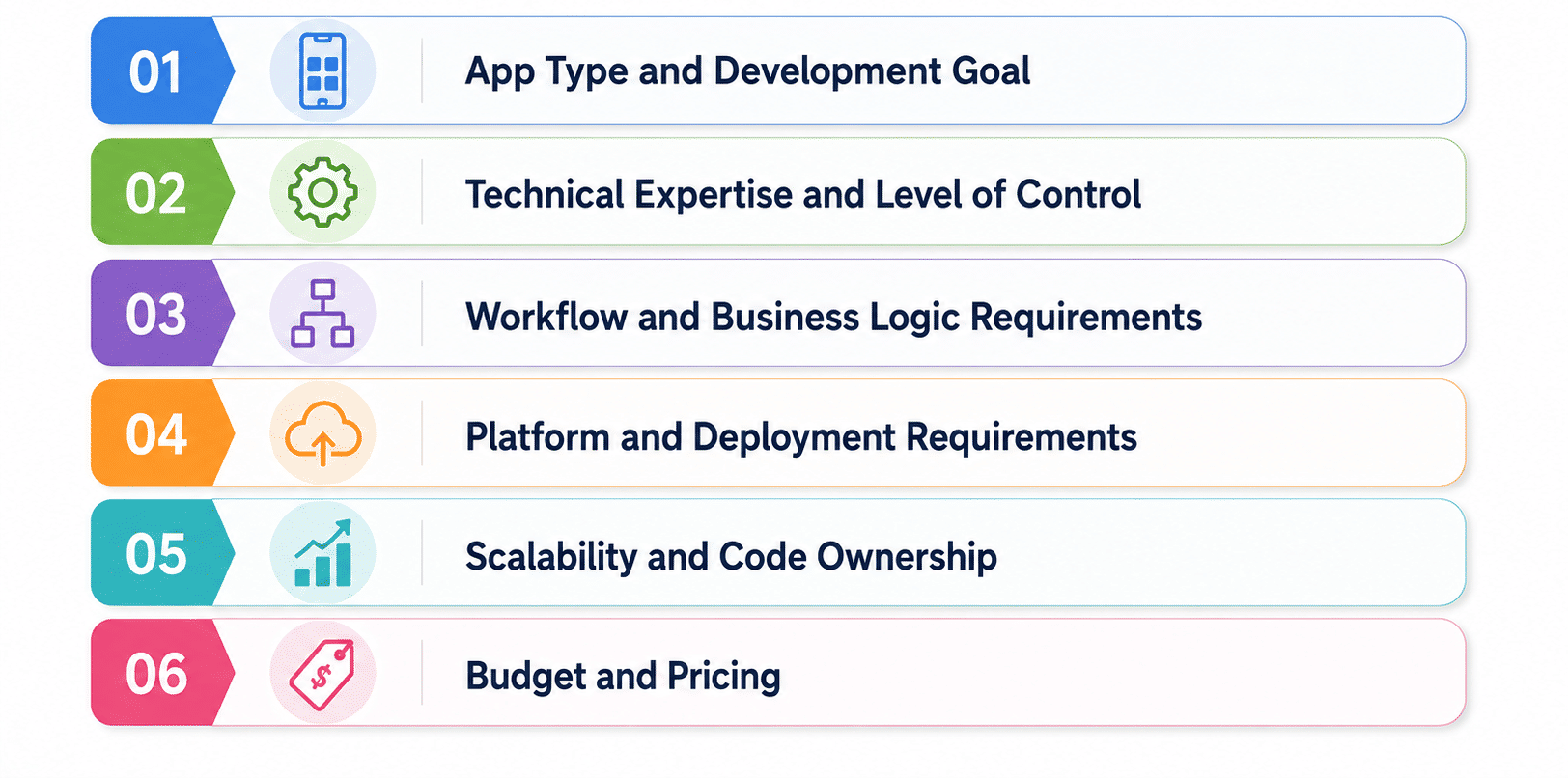
1. App Type and Development Goal
Start by working out what has to be built.
Consider whether the project is:
- A web application
- A business application
- An internal tool
- A mobile application
- A prototype
- A production product
2. Technical Expertise and Level of Control
Basic tools can take over a greater amount of the development process automatically, while developer-oriented tools offer more control regarding code, architecture, testing, and integrations.
Consider how much control the team needs over:
- Generated code
- Data
- Logic
- Infrastructure
- Integrations
- Deployment
3. Workflow and Business Logic Requirements
Simple applications can function adequately using basic prompt-based generation, while more complex products require more robust workflow and logic capabilities.
Evaluate whether the application requires:
- User roles
- Authentication
- Automated workflows
- External APIs
- Databases
- Complex business rules
4. Platform and Deployment Requirements
The platform we are aiming at also has a bearing on the matter.
For example:
- Web applications may work well with browser-based builders
- Mobile applications may benefit from FlutterFlow
- Developer workflows may favor Cursor or Claude Code
- Business applications may benefit from integrated platforms
5. Scalability and Code Ownership
A fast prototype is not the same as a product which requires long term maintenance.
Check:
- Whether code can be exported
- How data can be accessed
- Whether integrations can scale
- How application logic can be maintained
- Whether the platform locks the application into its environment
6. Budget and Pricing
The application should be priced in accordance with how it will really be built and used.
Consider:
- Free plan limitations
- Monthly subscription
- AI credit usage
- Collaboration costs
- Hosting costs
- Deployment costs
- Additional infrastructure
Build faster with the Best AI Tools for Vibe Coding Beginners and Professionals, from easy app builders to advanced AI coding agents.
Conclusion
The best apps for vibe coding depend on the project and development needs. Zite and Base44 suit business apps, Lovable and Bolt.new support fast web development, Replit is beginner friendly, Cursor and Claude Code suit developers, and FlutterFlow is useful for mobile apps.
The choice should consider app type, technical control, workflow complexity, deployment, scalability, code ownership, and budget. Speed matters for prototypes, while control and maintainability matter more for long term applications.
Contact our upGrad KnowledgeHut experts for personalized guidance on choosing the right course, career path, and certification to achieve your goals.
Frequently Asked Questions (FAQs)
1. How secure are vibe coding tools for business applications?
Security depends on the platform, application architecture, and how data and access are configured. Businesses should review authentication, permissions, data handling, integrations, and deployment controls before using a vibe-coded application with sensitive information.
2. Can vibe coding tools maintain apps after they are built?
Yes, many tools support ongoing changes through additional prompts, code editing, and debugging. However, maintenance can become more difficult as the application grows, particularly when the generated codebase becomes complex or highly customized.
3. What happens when an AI generated app becomes too complex for vibe coding?
The project may require more manual development, code review, testing, and architectural decisions. At that stage, developers may need to take greater control of the codebase or move parts of the application into a traditional development workflow.
4. Can developers migrate a vibe coded app to traditional development?
This depends on whether the platform provides code export and access to the application's underlying data and architecture. Tools with stronger code ownership options make migration easier, while platform-dependent applications may require more redevelopment.
5. How reliable is AI generated code from vibe coding tools?
AI generated code can accelerate development, but it still requires testing and human review. Errors, security issues, incorrect logic, and unexpected dependencies can occur, particularly in complex applications.
6. Can vibe coding tools connect to existing databases and APIs?
Many vibe-coding platforms support integrations with databases, APIs, and external services, but the available options vary by tool. Before choosing a platform, teams should verify support for the specific systems their application needs to connect with.
7. How do vibe coding tools handle bugs and unexpected AI generated changes?
AI tools can help identify and fix bugs through additional prompts, testing, and code changes. However, unexpected changes can sometimes introduce new issues, so developers should review important modifications and maintain testing and version control.
8. Should teams use one vibe coding tool throughout the entire app lifecycle?
Not necessarily. A tool that is ideal for rapid prototyping may not provide the same level of control needed for production, scaling, or complex maintenance. Teams can change tools as the application's technical requirements evolve.
9. When should a project move from vibe coding to traditional development?
A transition may make sense when the application requires complex architecture, advanced security, extensive integrations, high scalability, or detailed code control. Increasing maintenance effort and difficulty validating AI generated changes are also useful signals.
10. Can vibe coding tools handle authentication, payments, and sensitive data safely?
Some platforms provide authentication and integrations for payments or other services, but sensitive features require careful implementation and testing. Businesses should review security controls, permissions, data handling, compliance requirements, and platform limitations before deployment.
1648 articles published
KnowledgeHut is an outcome-focused global ed-tech company. We help organizations and professionals unlock excellence through skills development. We offer training solutions under the people and proces...
Get Free Consultation
By submitting, I accept the T&C and
Privacy Policy