
- Blog Categories
- Project Management
- Agile Management
- IT Service Management
- Cloud Computing
- Business Management
- BI And Visualisation
- Quality Management
- Cyber Security
- DevOps
- Most Popular Blogs
- PMP Exam Schedule for 2025: Check PMP Exam Date
- Top 60+ PMP Exam Questions and Answers for 2025
- PMP Cheat Sheet and PMP Formulas To Use in 2025
- What is PMP Process? A Complete List of 49 Processes of PMP
- Top 15+ Project Management Case Studies with Examples 2025
- Top Picks by Authors
- Top 170 Project Management Research Topics
- What is Effective Communication: Definition
- How to Create a Project Plan in Excel in 2025?
- PMP Certification Exam Eligibility in 2025 [A Complete Checklist]
- PMP Certification Fees - All Aspects of PMP Certification Fee
- Most Popular Blogs
- CSM vs PSM: Which Certification to Choose in 2025?
- How Much Does Scrum Master Certification Cost in 2025?
- CSPO vs PSPO Certification: What to Choose in 2025?
- 8 Best Scrum Master Certifications to Pursue in 2025
- Safe Agilist Exam: A Complete Study Guide 2025
- Top Picks by Authors
- SAFe vs Agile: Difference Between Scaled Agile and Agile
- Top 21 Scrum Best Practices for Efficient Agile Workflow
- 30 User Story Examples and Templates to Use in 2025
- State of Agile: Things You Need to Know
- Top 24 Career Benefits of a Certifed Scrum Master
- Most Popular Blogs
- ITIL Certification Cost in 2025 [Exam Fee & Other Expenses]
- Top 17 Required Skills for System Administrator in 2025
- How Effective Is Itil Certification for a Job Switch?
- IT Service Management (ITSM) Role and Responsibilities
- Top 25 Service Based Companies in India in 2025
- Top Picks by Authors
- What is Escalation Matrix & How Does It Work? [Types, Process]
- ITIL Service Operation: Phases, Functions, Best Practices
- 10 Best Facility Management Software in 2025
- What is Service Request Management in ITIL? Example, Steps, Tips
- An Introduction To ITIL® Exam
- Most Popular Blogs
- A Complete AWS Cheat Sheet: Important Topics Covered
- Top AWS Solution Architect Projects in 2025
- 15 Best Azure Certifications 2025: Which one to Choose?
- Top 22 Cloud Computing Project Ideas in 2025 [Source Code]
- How to Become an Azure Data Engineer? 2025 Roadmap
- Top Picks by Authors
- Top 40 IoT Project Ideas and Topics in 2025 [Source Code]
- The Future of AWS: Top Trends & Predictions in 2025
- AWS Solutions Architect vs AWS Developer [Key Differences]
- Top 20 Azure Data Engineering Projects in 2025 [Source Code]
- 25 Best Cloud Computing Tools in 2025
- Most Popular Blogs
- Company Analysis Report: Examples, Templates, Components
- 400 Trending Business Management Research Topics
- Business Analysis Body of Knowledge (BABOK): Guide
- ECBA Certification: Is it Worth it?
- Top Picks by Authors
- Top 20 Business Analytics Project in 2025 [With Source Code]
- ECBA Certification Cost Across Countries
- Top 9 Free Business Requirements Document (BRD) Templates
- Business Analyst Job Description in 2025 [Key Responsibility]
- Business Analysis Framework: Elements, Process, Techniques
- Most Popular Blogs
- Best Career options after BA [2025]
- Top Career Options after BCom to Know in 2025
- Top 10 Power Bi Books of 2025 [Beginners to Experienced]
- Power BI Skills in Demand: How to Stand Out in the Job Market
- Top 15 Power BI Project Ideas
- Top Picks by Authors
- 10 Limitations of Power BI: You Must Know in 2025
- Top 45 Career Options After BBA in 2025 [With Salary]
- Top Power BI Dashboard Templates of 2025
- What is Power BI Used For - Practical Applications Of Power BI
- SSRS Vs Power BI - What are the Key Differences?
- Most Popular Blogs
- Data Collection Plan For Six Sigma: How to Create One?
- Quality Engineer Resume for 2025 [Examples + Tips]
- 20 Best Quality Management Certifications That Pay Well in 2025
- Six Sigma in Operations Management [A Brief Introduction]
- Top Picks by Authors
- Six Sigma Green Belt vs PMP: What's the Difference
- Quality Management: Definition, Importance, Components
- Adding Green Belt Certifications to Your Resume
- Six Sigma Green Belt in Healthcare: Concepts, Benefits and Examples
- Most Popular Blogs
- Latest CISSP Exam Dumps of 2025 [Free CISSP Dumps]
- CISSP vs Security+ Certifications: Which is Best in 2025?
- Best CISSP Study Guides for 2025 + CISSP Study Plan
- How to Become an Ethical Hacker in 2025?
- Top Picks by Authors
- CISSP vs Master's Degree: Which One to Choose in 2025?
- CISSP Endorsement Process: Requirements & Example
- OSCP vs CISSP | Top Cybersecurity Certifications
- How to Pass the CISSP Exam on Your 1st Attempt in 2025?
- Most Popular Blogs
- Top 7 Kubernetes Certifications in 2025
- Kubernetes Pods: Types, Examples, Best Practices
- DevOps Methodologies: Practices & Principles
- Docker Image Commands
- Top Picks by Authors
- Best DevOps Certifications in 2025
- 20 Best Automation Tools for DevOps
- Top 20 DevOps Projects of 2025
- OS for Docker: Features, Factors and Tips
- More
- Agile & PMP Practice Tests
- Agile Testing
- Agile Scrum Practice Exam
- CAPM Practice Test
- PRINCE2 Foundation Exam
- PMP Practice Exam
- Cloud Related Practice Test
- Azure Infrastructure Solutions
- AWS Solutions Architect
- IT Related Pratice Test
- ITIL Practice Test
- Devops Practice Test
- TOGAF® Practice Test
- Other Practice Test
- Oracle Primavera P6 V8
- MS Project Practice Test
- Project Management & Agile
- Project Management Interview Questions
- Release Train Engineer Interview Questions
- Agile Coach Interview Questions
- Scrum Interview Questions
- IT Project Manager Interview Questions
- Cloud & Data
- Azure Databricks Interview Questions
- AWS architect Interview Questions
- Cloud Computing Interview Questions
- AWS Interview Questions
- Kubernetes Interview Questions
- Web Development
- CSS3 Free Course with Certificates
- Basics of Spring Core and MVC
- Javascript Free Course with Certificate
- React Free Course with Certificate
- Node JS Free Certification Course
- Data Science
- Python Machine Learning Course
- Python for Data Science Free Course
- NLP Free Course with Certificate
- Data Analysis Using SQL
How to Use CSM Skills Effectively in a Remote and Distributed Team
Updated on Jul 28, 2026 | 232 views
Share:
Table of Contents
View all
- Quick Overview
- How CSM Skills Improve Collaboration in Remote Scrum Teams
- Core CSM Skills That Make Remote Teams Successful
- Best Practices for Building Collaboration in Distributed Agile Teams
- Digital Tools That Support CSM Skills in Remote Teams
- Measuring Success in a Remote Scrum Team
- Practical Tips for Applying CSM Skills Every Day
- Conclusion
Master the Right Skills & Boost Your Career
Avail your free 1:1 mentorship session
Quick Overview
- CSM skills can be used effectively in remote and distributed teams by improving communication, collaboration, facilitation, and transparency.
- Remote Scrum Masters succeed by focusing on clear communication, shared visibility, and outcome driven teamwork.
- The right collaboration practices and digital tools help distributed Agile teams stay aligned and productive.
- In this guide, you'll learn how to apply CSM skills, overcome remote team challenges, and improve collaboration among distributed Scrum teams.
For those starting their Agile journey, CSM® Certification Training can help build the practical knowledge needed to succeed in Scrum-based teams.
How CSM Skills Improve Collaboration in Remote Scrum Teams
Managing a remote Scrum team is very different from working with people who share the same office. Communication becomes more intentional; collaboration depends heavily on digital platforms, and maintaining team engagement requires continuous effort.
One of the biggest differences in remote environments is the lack of face-to-face interaction. Team members cannot easily read body language or notice when someone appears confused or frustrated. Small misunderstandings that would normally be resolved within minutes can continue for days if communication is unclear.
Many distributed teams include members who begin and end their workdays at completely different times. Scheduling meetings that suit everyone can become difficult, especially for Daily Scrums, Sprint Planning sessions, and Sprint Reviews.
In a physical office, people naturally observe progress by talking with colleagues or looking at task boards. Remote work removes this visibility unless teams intentionally maintain it.
Scrum Masters encourage teams to keep Product Backlogs updated, record Sprint progress consistently, and communicate blockers early. This transparency helps Product Owners, stakeholders, and team members understand the current state of work without constant follow up.
Keeping remote teams engaged also requires greater attention.
Some team members may hesitate to participate during online meetings, while others may dominate discussions. A skilled Scrum Master ensures every voice is heard and encourages balanced participation.
Example
Imagine a Sprint Review where only senior developers answer stakeholder questions while junior developers remain silent. A Scrum Master might invite each team member to explain part of the Sprint outcome, creating greater participation and increasing team confidence.
Understanding How to Use CSM Skills in remote environments means recognizing these small challenges before they become larger problems.
Also Read: The Increasing Role and Importance of Scrum Masters
Core CSM Skills That Make Remote Teams Successful
The success of distributed Scrum teams depends less on location and more on how effectively Scrum Masters apply their skills. Knowing How to Use CSM Skills in virtual environments allows teams to collaborate efficiently despite physical distance.
1. Effective Communication
Communication is the foundation of every successful remote Scrum team.
Without regular conversations, misunderstandings grow quickly and team alignment suffers.
Scrum Masters encourage clear communication by setting expectations, documenting important decisions, and ensuring information reaches everyone instead of remaining within small groups.
Simple practices such as summarizing meeting outcomes, sharing Sprint updates, and confirming action items reduce confusion significantly.
Example
After Sprint Planning, sending a short summary of agreed Sprint Goals helps every team member understand priorities even if someone experienced technical issues during the meeting.
2. Facilitation
Remote meetings require stronger facilitation than in person discussions.
Long online meetings can reduce attention and participation if they are not managed carefully.
Scrum Masters guide conversations by establishing clear objectives, encouraging interaction, and keeping discussions focused on solving problems rather than assigning blame.
They also create opportunities for quieter participants to contribute.
3. Servant Leadership
Remote work increases the importance of trust.
Since managers cannot observe daily activities directly, teams need autonomy to make decisions and organize their work responsibly.
Scrum Masters demonstrate servant leadership by removing obstacles, supporting collaboration, and helping team members succeed instead of monitoring every task.
This leadership style creates ownership and encourages accountability across distributed teams.
4. Conflict Resolution
Conflicts often become harder to detect in virtual environments.
A disagreement that might be obvious during an office discussion can remain hidden behind polite chat messages or silent video calls.
Scrum Masters actively encourage respectful conversations before misunderstandings become larger issues.
Example
If two developers repeatedly disagree about technical approaches during Sprint Planning, the Scrum Master can facilitate a structured discussion that focuses on customer value and Sprint Goals instead of personal opinions.
Resolving issues early helps maintain healthy relationships within remote teams.
5. Coaching and Mentoring
Coaching becomes even more valuable when team members work from different locations.
Remote employees sometimes hesitate to ask for help because they do not want to interrupt colleagues.
Scrum Masters create an environment where continuous learning feels natural.
Regular one-on-one conversations, constructive feedback, and mentoring sessions help individuals grow while strengthening overall team performance.
Professionals who understand How to Use CSM Skills know that coaching is not limited to formal meetings. Small everyday conversations often have the greatest impact.
6. Transparency and Accountability
Transparency is one of the core values of Scrum, and it becomes even more important in distributed environments.
Everyone should understand Sprint Goals, current priorities, blockers, and progress without needing frequent status meetings.
Strong remote teams are not built simply by using collaboration software. They succeed because Scrum Masters understand How to Use CSM Skills to create trust, encourage communication, and keep everyone aligned around shared goals.
Best Practices for Building Collaboration in Distributed Agile Teams
Building collaboration in a remote environment requires more than scheduling regular meetings. Team members need clear expectations, reliable communication, and opportunities to build trust despite working from different locations. Understanding How to Use CSM Skills in these situations helps Scrum Masters create an environment where collaboration happens naturally.
1. Encourage Video Communication
Not every discussion requires a video call, but seeing facial expressions during important conversations improves communication and reduces misunderstandings.
Sprint Planning, Sprint Reviews, Retrospectives, and one-to-one coaching sessions are often more effective when participants can see each other. Visual interaction strengthens relationships and helps Scrum Masters identify when someone appears confused or disengaged.
2. Establish Working Agreements
Remote teams benefit from clear working agreements that define how they communicate and collaborate.
These agreements may include preferred meeting times, expected response times, documentation standards, and guidelines for raising blockers. Since everyone follows the same expectations, confusion is reduced and collaboration becomes more consistent.
3. Document Decisions Clearly
Important decisions should never remain limited to meeting notes or private conversations.
Scrum Masters encourage teams to record Sprint Goals, action items, Retrospective improvements, and key decisions in shared documentation, so everyone has access to the same information.
4. Promote Asynchronous Collaboration
Distributed teams cannot rely entirely on live meetings.
Written updates, shared documents, recorded demonstrations, and discussion boards allow people to contribute when they are available without delaying project progress.
Learning How to Use CSM Skills includes balancing real-time collaboration with asynchronous communication.
5. Create Opportunities for Informal Interaction
Remote work often removes casual conversations that naturally happen in an office.
Virtual coffee chats, informal team sessions, or short celebrations after Sprint Reviews help strengthen relationships and create a stronger team culture.
6. Foster Psychological Safety
People contribute their best ideas when they feel comfortable asking questions, admitting mistakes, and sharing concerns.
Scrum Masters build psychological safety by encouraging respectful discussions, appreciating different viewpoints, and treating mistakes as opportunities for learning instead of assigning blame.
Whether you're a beginner or an experienced professional, The Scrum Master Career Path Guide 2026 provides a clear roadmap for advancing your Scrum career.
Digital Tools That Support CSM Skills in Remote Teams
Technology supports remote Agile teams, but tools alone do not create successful collaboration. The real value comes from choosing tools that reinforce Scrum practices rather than complicating them.
Professionals learning How to Use CSM Skills should focus on selecting tools based on team needs instead of adopting every available platform.
1. Project Management Platforms
These platforms help teams maintain Product Backlogs, Sprint Backlogs, and task visibility throughout each Sprint.
When updated consistently, they provide transparency for developers, Product Owners, stakeholders, and Scrum Masters.
2. Digital Whiteboards
Brainstorming activities, Sprint Retrospectives, and planning workshops become more interactive when teams can organize ideas visually.
Digital whiteboards encourage participation from everyone, even those who may hesitate to speak during meetings.
3. Video Conferencing
Video meetings remain essential for Scrum ceremonies, coaching conversations, and stakeholder discussions.
Scrum Masters should keep meetings focused, encourage participation, and avoid unnecessary meeting fatigue.
4. Documentation Platforms
Shared documentation ensures everyone has access to meeting outcomes, Sprint Goals, team agreements, and project knowledge.
Good documentation also supports new team members as they join distributed teams.
5. Team Messaging
Messaging platforms enable quick communication without interrupting focused work.
Rather than replacing meetings entirely, messaging complements other communication channels by supporting daily collaboration.
6. Sprint Reporting Dashboards
Dashboards provide visibility into Sprint progress, work completion, and delivery trends.
Scrum Masters use these insights to facilitate conversations rather than measure individual performance.
Measuring Success in a Remote Scrum Team
Measuring remote team performance requires more than tracking completed tasks. Effective Scrum Masters evaluates both delivery outcomes and team health.
Knowing How to Use CSM Skills means using metrics to encourage improvement rather than judging people.
1. Sprint Goal Achievement
A consistently achieved Sprint Goal indicates that the team understands priorities and works toward shared objectives.
Missing Sprint Goals regularly may suggest planning challenges or changing priorities.
2. Team Engagement
Active participation during Sprint events often reflects healthy collaboration.
Scrum Masters should observe whether everyone contributes ideas, asks questions, and supports continuous improvement.
3. Delivery Predictability
Reliable delivery builds stakeholder confidence.
Rather than expecting identical Sprint outcomes every time, Scrum Masters look for consistent planning and realistic commitments.
4. Cycle Time
Cycle time measures how quickly work moves from development to completion.
Reducing unnecessary delays helps teams deliver customer value more efficiently.
5. Customer Feedback
Customer satisfaction provides valuable insight into whether Sprint outcomes meet business needs.
Positive feedback often reflects effective collaboration throughout the development process.
6. Continuous Improvement
Retrospectives should result in meaningful actions rather than repeated discussions.
Teams that consistently implement improvement actions demonstrate healthy Agile practices.
7. Team Satisfaction
Happy, motivated teams often collaborate better and adapt more effectively to change.
Regular feedback surveys and one-to-one conversation help Scrum Masters understand team morale.
Beyond learning Scrum, certification can open new career opportunities. Discover the Top 24 Career Benefits of Scrum Master Certification in 2026 before taking the next step.
Practical Tips for Applying CSM Skills Every Day
Understanding How to Use CSM Skills becomes easier when Scrum Masters develop consistent daily habits.
Begin every meeting with a clear objective so participants understand its purpose.
Encourage equal participation by inviting quieter team members to share their perspectives.
Facilitate discussions instead of directing every decision. Teams become stronger when they solve problems together.
Keep communication transparent by sharing updates, documenting important decisions, and making information easily accessible.
Finally, balance live collaboration with asynchronous communication. Not every discussion requires a meeting, especially when teams work across multiple time zones.
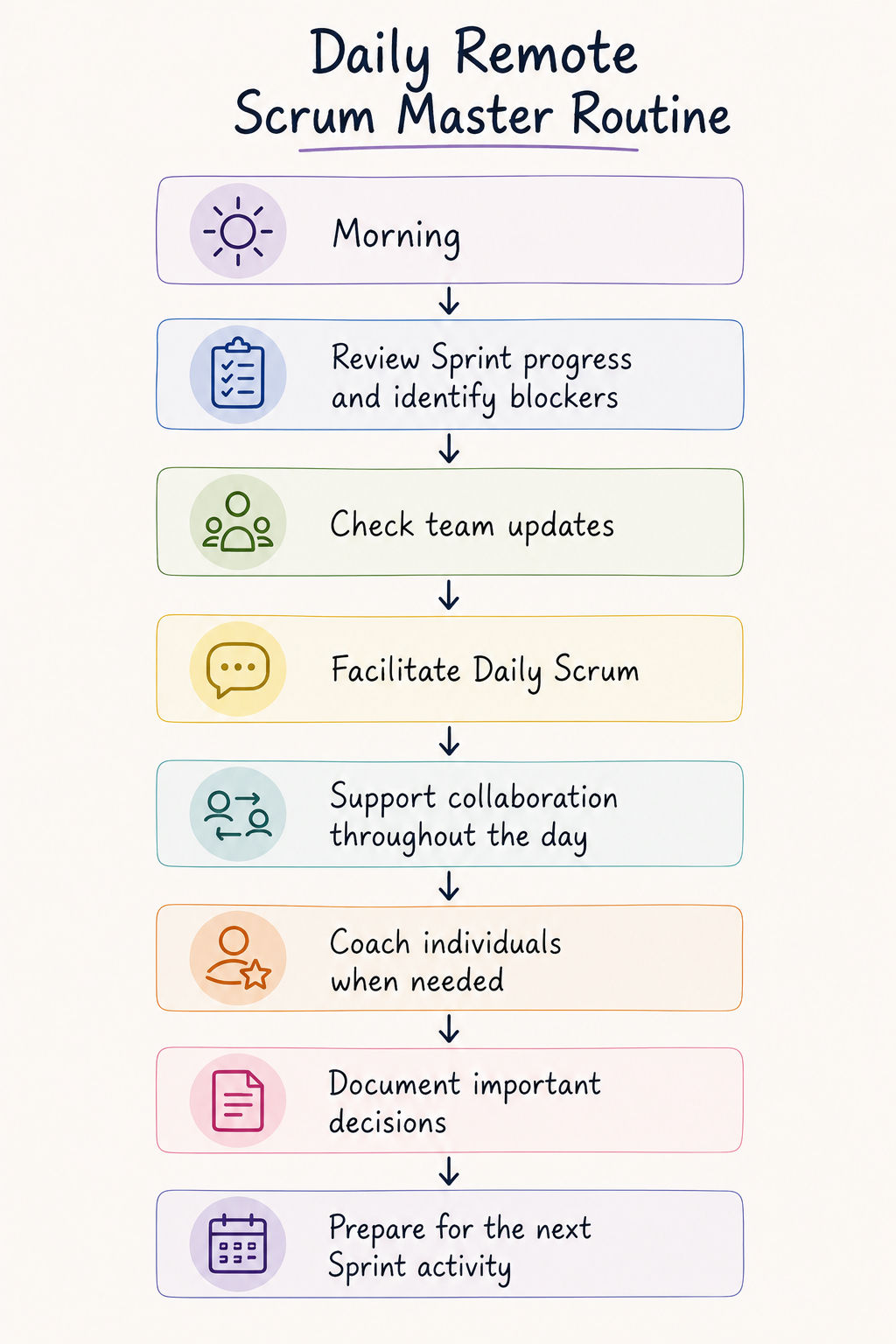
While AI is changing Agile practices, the right certification still matters. Explore the Best Agile Management Certification Training Courses to find the best fit for your career goals.
Conclusion
Remote and distributed work has changed how Agile teams collaborate, but it has not changed the principles that make Scrum successful. The communication, facilitation, servant leadership, and coaching techniques learned through CSM remain just as valuable in virtual environments as they are in traditional workplaces.
Understanding How to Use CSM Skills effectively means adapting these principles to modern ways of working. Scrum Masters who encourage open communication, build trust, promote transparency, and support continuous improvement can help distributed teams perform at a high level regardless of location.
Contact our upGrad KnowledgeHut experts for personalized guidance on choosing the right course, career path, and certification to achieve your goals.
Frequently Asked Questions
Can CSM skills be applied effectively in remote teams?
Yes. Scrum principles work just as well in remote environments when applied consistently. Scrum Masters adapts communication, facilitation, and collaboration techniques using digital tools to keep distributed teams aligned and productive.
What is the biggest challenge for Scrum Masters managing distributed teams?
The biggest challenge is maintaining clear communication, engagement, and transparency across different locations and time zones. Building trust and ensuring everyone stays connected also requires continuous effort.
Which Scrum event is hardest to facilitate remotely?
Sprint Retrospectives are often the most challenging because they rely on open conversations and honest feedback. Scrum Masters must create a safe virtual environment where every team member feels comfortable participating.
How can Scrum Masters improve collaboration across time zones?
They can balance live meetings with asynchronous communication, maintain shared documentation, and set clear working agreements. This helps teams stay connected without disrupting individual work schedules.
Which digital tools are most useful for remote Scrum teams?
Project management platforms, video conferencing tools, digital whiteboards, messaging apps, and documentation platforms are essential. Together, they improve visibility, collaboration, and knowledge sharing across distributed teams.
Does CSM training cover remote team management?
CSM training focuses on Scrum principles, servant leadership, and facilitation skills. Although remote team management is not the primary focus, these skills can be effectively adapted to virtual and distributed environments.
How can AI help remote Scrum Masters?
AI can automate repetitive tasks such as meeting summaries, Sprint reports, and progress tracking. This allows Scrum Masters to spend more time coaching teams, resolving blockers, and driving continuous improvement.
What metrics should Scrum Masters track in distributed teams?
Key metrics include Sprint Goal achievement, velocity trends, cycle time, customer feedback, team satisfaction, and completion of Retrospective action items. Monitoring these indicators helps identify improvement opportunities and maintain team performance.
1648 articles published
KnowledgeHut is an outcome-focused global ed-tech company. We help organizations and professionals unlock excellence through skills development. We offer training solutions under the people and proces...
Get Free Consultation
By submitting, I accept the T&C and
Privacy Policy
Ready to learn about Agile Certifications Roadmap?