
- Home
- Blog
- Data Science
- Free vs Paid Generative AI Tools: What’s Worth It?
Free vs Paid Generative AI Tools: What’s Worth It?
Updated on Sep 11, 2026 | 1.09K+ views
Share:
Table of Contents
View all
- What Is the Difference Between Free and Paid Generative AI Tools?
- What Are Free Generative AI Tools?
- How Do Free Generative AI Tools Differ From Paid Versions in Terms of Data Usage?
- What Are Paid Generative AI Tools?
- Top Free and Paid Generative AI Tools Compared
- ChatGPT Free vs ChatGPT Plus
- Free AI vs Paid AI for Different Use Cases
- When Are Paid AI Tools Worth It?
- Conclusion
Quick Overview
- Free generative AI tools are ideal for learning, basic content creation, research, and everyday productivity with limited features and usage.
- Paid generative AI tools offer advanced AI models, faster responses, larger file handling, stronger privacy controls, and higher usage limits for professional work.
- The right choice depends on your budget, workload, and whether you need AI for occasional tasks or business critical workflows.
- This guide compares free and paid generative AI tools, their features, use cases, and helps you decide which option offers the best value for your needs.
If you want to understand AI more deeply and use it effectively in real world projects, enrolling in upGrad KnowledgeHut’s Generative AI and Prompt Engineering course can be a great next step.
What Is the Difference Between Free and Paid Generative AI Tools?
Choosing between free and paid generative AI tools is not simply about price. The real difference lies in the quality of AI models, available features, usage limits, response speed, collaboration capabilities, privacy controls, and security.
The free vs paid AI tools comparison becomes especially important when AI moves from occasional experimentation to regular professional use.
| Feature | Free AI Tools | Paid AI Tools |
| Cost | No subscription fee | Monthly or annual subscription |
| AI Models | Standard or limited models | Latest and most capable models |
| Usage Limits | Daily or hourly limits | Significantly higher limits |
| Response Speed | Can slow during peak hours | Faster and more consistent |
| Context Window | Smaller | Larger for complex tasks |
| File Uploads | Limited support | Supports multiple file types and larger files |
| Image Generation | Basic capabilities | Advanced generation and editing |
| Collaboration | Usually unavailable | Team collaboration features |
| Integrations | Limited | Connects with business applications |
| Security | Standard privacy | Enterprise security and compliance |
| Customer Support | Community or self help | Priority support |
When evaluating free vs paid generative AI tools, the best option depends on how frequently AI is used, the complexity of tasks, and whether advanced features justify the subscription cost.
Also Read: Generative AI Course vs Data Science Course
What Are Free Generative AI Tools?
A common beginner question is is AI free? Many generative AI platforms offer free versions that allow users to access basic AI capabilities without paying a subscription fee.
Free generative AI tools allow users to create text, generate images, summarize documents, answer questions, brainstorm ideas, translate content, and perform many everyday tasks.
For many individuals, free versions serve as an excellent starting point before deciding whether premium features are necessary. They also help students, hobbyists, freelancers, and occasional users complete simple projects without additional expenses.
However, free access does not necessarily mean unlimited access. Most platforms place restrictions on usage, model availability, file uploads, or advanced features.
These tools typically include:
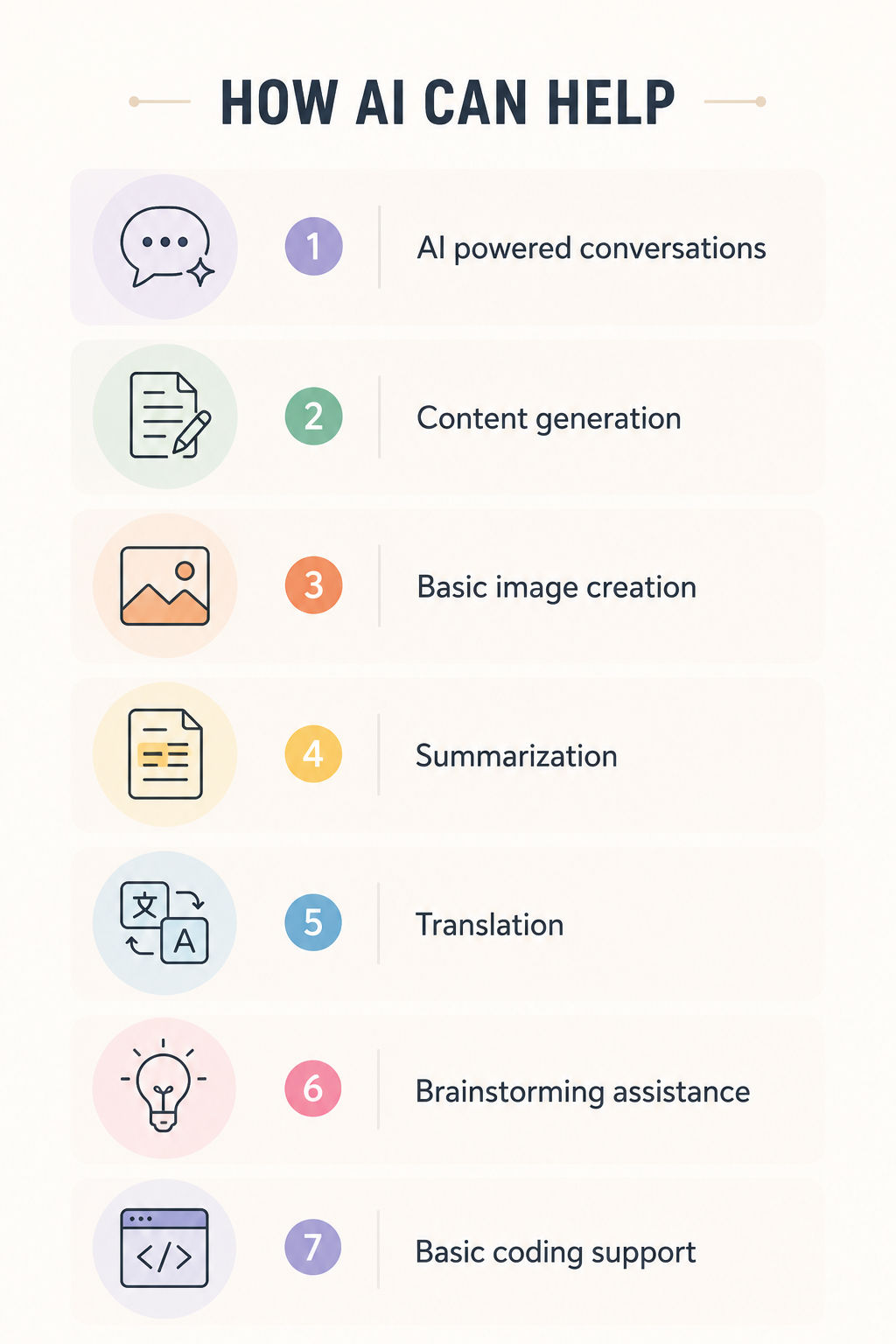
Although free plans offer impressive functionality, they often include restrictions designed to encourage users to upgrade.
Common Features of Free AI Tools
Most free AI tools include enough functionality for everyday productivity.
Common features include:
- Basic conversational AI
- Text generation for articles and emails
- Grammar improvements
- Brainstorming assistance
- Document summarization
- Basic image generation
- Simple coding assistance
- Language translation
- Question answering
- Prompt experimentation
Many platforms also provide limited access to newer AI models, although availability may depend on demand or daily usage quotas.
Advantages of Free AI Tools
Free versions remain popular because they offer significant value without financial commitment.
Some of the biggest advantages include:
No Cost
- No subscription required
- Easy access for anyone
- Suitable for beginners
Easy Learning
- Helps understand prompt writing
- Encourages experimentation
- Allows users to explore AI capabilities
Low Risk
- No long-term commitment
- Users can compare multiple platforms before selecting one
Suitable for Everyday Tasks
Free tools perform well for:
- Writing emails
- Creating social media captions
- Summarizing articles
- Generating ideas
- Proofreading
- Simple research
- Basic coding questions
Access Across Devices
Many platforms provide:
- Web access
- Mobile applications
- Browser support
- Cloud synchronization
These advantages make free vs paid generative AI tools an important comparison for first time users who want to explore AI before investing in premium subscriptions.
Limitations of Free AI Tools
Despite their usefulness, free AI tools have several limitations that become noticeable during regular or professional use.
Lower Usage Limits
Users may experience:
- Daily message caps
- Hourly request limits
- Waiting periods before additional access
Older AI Models
Free plans often provide:
- Reduced access to the latest AI models
- Limited reasoning capabilities
- Less accurate outputs for complex tasks
Slower Performance
During periods of high demand:
- Responses may take longer
- Access may be temporarily restricted
- Performance may become inconsistent
Limited File Support
Many free plans restrict:
- File uploads
- Document analysis
- Spreadsheet processing
- Image editing
Smaller Context Windows
Large projects become difficult because:
- AI remembers less information
- Long conversations lose context
- Complex documents require multiple prompts
Fewer Productivity Features
Most free versions do not include:
- Team collaboration
- Workflow automation
- Advanced integrations
- Custom AI assistants
- Enterprise administration
Basic Privacy Controls
Organizations handling confidential information may require stronger security measures than free plans to provide.
When comparing free vs paid generative AI tools, these limitations often become the deciding factor for professionals who rely on AI every day.
Also Read: Best Prompt Engineering Tools
How Do Free Generative AI Tools Differ From Paid Versions in Terms of Data Usage?
One important question when comparing AI plans is how do free generative AI tools differ from paid versions in terms of data usage?
There is no universal rule that all free AI tools use input data one way and all paid AI tools use it another way. Data handling depends on the specific provider, product, subscription, privacy policy, and account settings.
Some consumer AI services may use conversations or inputs to improve their models under certain conditions, while business and enterprise plans may provide stronger controls over data handling. Some paid plans may also offer additional privacy settings, retention controls, or commitments around training data.
Therefore, users should not assume that every paid AI tool automatically provides complete data privacy or that every free AI tool uses submitted information for model training.
Before choosing a plan, it is important to check:
- Whether user inputs can be used for model improvement
- How long data is retained
- Whether users can opt out of certain data uses
- Whether business data receives additional protections
- What security and compliance controls are available
For professionals and organizations, data handling can be just as important as model performance when selecting between free and paid AI tools.
What Are Paid Generative AI Tools?
Paid generative AI tools are subscription-based AI platforms that provide access to advanced models, premium features, higher usage limits, and business ready capabilities. They are designed for professionals, developers, marketers, designers, researchers, and organizations that depend on AI for daily work.
Compared to free plans, paid subscriptions offer greater reliability, improved accuracy, and enhanced productivity. For many businesses, investing in premium AI tools leads to faster workflows and better outcomes, making the comparison of free vs paid generative AI tools an important part of technology planning.
Most premium plans include:
- Access to the latest AI models
- Faster response times
- Higher daily or monthly usage limits
- Larger context windows
- Better reasoning capabilities
- Advanced content creation features
- Enhanced privacy controls
- Priority customer support
These features make paid AI platforms suitable for users who rely on AI for complex or high volume tasks.
Premium Features Paid AI Tools Offer
One of the biggest differences in free vs paid generative AI tools is the range of premium capabilities available with a subscription.
Common premium features include:
Access to Advanced AI Models
Paid users typically receive:
- Latest language models
- Better reasoning abilities
- Improved coding performance
- Higher quality content generation
- More accurate responses
Larger Context Windows
Premium plans can process significantly more information in a single conversation.
Benefits include:
- Analyzing lengthy reports
- Reviewing research papers
- Processing legal documents
- Working with large codebases
- Maintaining conversation context over longer sessions
Faster Performance
Subscribers generally experience:
- Faster response generation
- Reduced waiting times
- Priority access during peak usage
- More consistent performance
Higher Usage Limits
Paid plans support users with demanding workloads.
Higher limits benefit:
- Content teams
- Developers
- Researchers
- Marketing professionals
- Customer support teams
Better File Processing
Premium AI tools often support:
- PDF analysis
- Spreadsheet interpretation
- Presentation reviews
- Multiple file uploads
- Large document summaries
- Image analysis
Advanced Image Generation
Many paid plans provide:
- High resolution image generation
- Better image quality
- Commercial usage rights
- Advanced editing tools
- Style customization
- Brand consistency features
AI Customization
Several platforms allow users to create customized AI assistants.
Customization may include:
- Company knowledge bases
- Brand voice
- Standard operating procedures
- Team specific instructions
- Custom workflows
Workflow Integrations
Premium subscriptions frequently integrate with workplace applications.
Common integrations include:
- Productivity software
- Project management platforms
- Cloud storage
- Email applications
- CRM systems
- Development tools
Benefits for Professionals
Professionals often benefit the most when choosing paid AI subscriptions because they require reliability, speed, and high quality outputs.
Key benefits include:
Improved Productivity
Paid tools reduce time spent on repetitive work by helping with:
- Content drafting
- Editing
- Research
- Documentation
- Data analysis
- Meeting summaries
Better Content Quality
Premium AI models generally produce:
- More natural writing
- Better structure
- Stronger reasoning
- Improved creativity
- Higher factual consistency
Faster Project Delivery
Businesses can complete projects more efficiently through:
- Automated workflows
- Rapid content generation
- Faster coding assistance
- Quick document analysis
Reliable Performance
Unlike free versions, paid plans usually maintain consistent performance even during periods of high demand.
This reliability is especially valuable for organizations working under deadlines.
Better Collaboration
Many premium AI platforms support team based work through:
- Shared workspaces
- Collaboration tools
- Project organization
- Shared prompts
- Centralized AI assistants
Enterprise Capabilities
Large organizations require more than content generation. Enterprise AI platforms include security, governance, compliance, and administrative controls that support business operations.
Common enterprise capabilities include:
Advanced Security
Organizations benefit from:
- Data encryption
- Secure authentication
- Access management
- Private workspaces
- Controlled data sharing
Compliance Support
Many enterprise subscriptions help organizations meet regulatory requirements through:
- Compliance controls
- Data governance
- Audit capabilities
- Privacy management
Administrative Controls
Business administrators can often:
- Manage user access
- Monitor AI usage
- Set organizational policies
- Control permissions
- Track adoption
API Access
Many paid platforms provide APIs that enable businesses to integrate AI into existing applications and workflows.
This supports:
- Business automation
- Internal tools
- Customer service systems
- Product development
- Workflow optimization
Scalability
Enterprise plans are built to support growing organizations by offering:
- Flexible licensing
- Team management
- High usage capacity
- Dedicated support
- Reliable infrastructure
These capabilities explain why many organizations choose premium subscriptions when evaluating free vs paid generative AI tools for business use.
Similar Reads: Gen AI for Marketers
Top Free and Paid Generative AI Tools Compared
Several AI platforms offer both free and premium plans, while others focus exclusively on paid services. Understanding what each platform offers makes it easier to choose the right solution based on individual or business needs.
The comparison below highlights some of the most widely used AI tools available today.
| AI Tool | Free Plan | Paid Plan | Best For | Key Strength |
| ChatGPT | Yes | Yes | Writing, coding, research, productivity | Powerful conversational AI with a broad range of capabilities |
| Claude | Yes | Yes | Long document analysis and writing | Excellent reasoning and large context window |
| Gemini | Yes | Yes | Research, productivity, Google ecosystem | Strong integration with Google services |
| Microsoft Copilot | Yes | Yes | Office productivity and business workflows | Deep integration with Microsoft applications |
| Perplexity | Yes | Yes | Research and information discovery | AI powered search with cited sources |
| Midjourney | No | Yes | Professional image generation | High-quality artistic image creation |
| Adobe Firefly | Yes | Yes | Graphic design and creative projects | Commercially focused AI image generation |
| Canva AI | Yes | Yes | Social media and marketing design | Easy to use AI powered design tools |
Check Out: Top Generative AI Tools in 2026
ChatGPT Free vs ChatGPT Plus
Users often search for ChatGPT Plus free when comparing ChatGPT's free and paid options.
The free version provides access to core AI capabilities, while ChatGPT Plus is a paid subscription designed to provide additional access and capabilities. The exact models, usage limits, and features can change over time.
Therefore, the right choice depends on how frequently ChatGPT is used and whether the additional capabilities justify the subscription cost.
ChatGPT
Strengths
- Excellent writing capabilities
- Coding assistance
- Research support
- Image generation
- File analysis
- Custom AI assistants
Best suited for
- Students
- Professionals
- Developers
- Content creators
- Businesses
Claude
Strengths
- Strong reasoning
- Long context handling
- High quality writing
- Document summarization
Best suited for
- Researchers
- Writers
- Legal professionals
- Analysts
Gemini
Strengths
- Google Workspace integration
- Multimodal capabilities
- Fast information retrieval
Best suited for
- Google Workspace users
- Business teams
- Researchers
Microsoft Copilot
Strengths
- Microsoft 365 integration
- Productivity automation
- Enterprise security
Best suited for
- Corporate users
- Business professionals
- Enterprise organizations
Perplexity
Strengths
- AI powered search
- Source citations
- Research assistance
Best suited for
- Researchers
- Students
- Knowledge workers
Midjourney
Strengths
- Premium quality AI artwork
- Creative image generation
- Artistic style control
Best suited for
- Designers
- Digital artists
- Marketing teams
Adobe Firefly
Strengths
- Commercially safe image generation
- Design focused AI
- Adobe Creative Cloud integration
Best suited for
- Graphic designers
- Creative agencies
- Brand teams
Canva AI
Strengths
- AI assisted presentations
- Marketing graphics
- Social media content
- Easy design workflows
Best suited for
- Small businesses
- Content creators
- Marketing professionals
Learn how to build strong AI skills and stay ahead in the industry with expert-led training through structured Data Science Courses by upGrad KnowledgeHut designed for real world applications.
Free AI vs Paid AI for Different Use Cases
The decision becomes easier when AI tools are evaluated according to the type of work involved.
Paid AI vs Free AI for Studying
The choice between paid AI vs free AI for studying largely depends on how extensively AI is used.
Free tools can be sufficient for:
- Explaining concepts
- Creating revision notes
- Summarizing study material
- Brainstorming ideas
- Understanding difficult topics
Paid plans may become useful for students who regularly work with lengthy documents, require higher usage limits, or need access to more advanced models.
For most students, starting with a free plan can be a practical way to understand how generative AI supports learning before deciding whether premium features are worth the additional cost.
Free AI for Prompt Engineering
Prompt engineering is one of the first skills users develop when working with generative AI. Free AI tools provide an accessible environment to understand how different prompts influence AI responses.
Free plans are well suited for:
- Learning prompt writing techniques
- Testing different prompt structures
- Improving communication with AI models
- Understanding how AI interprets instructions
- Practicing content generation
Since prompt engineering mainly involves experimentation, beginners rarely need premium subscriptions during the learning phase.
Casual Content Creation
Individuals creating content occasionally can accomplish many tasks using free AI tools.
Typical activities include:
- Drafting emails
- Writing blog outlines
- Creating social media captions
- Generating product descriptions
- Brainstorming headlines
- Rewriting short paragraphs
- Summarizing articles
For low volume content creation, the limitations of free plans usually have little impact.
Academic Research
Students and researchers often use AI to organize information and simplify learning.
Free AI tools can assist with:
- Understanding complex concepts
- Summarizing study material
- Creating revision notes
- Explaining technical topics
- Organizing research ideas
- Structuring assignments
While free plans support general academic work, information should still be verified using reliable academic sources.
Brainstorming Ideas
Generative AI is highly effective during the early stages of creative thinking.
Free AI tools help generate ideas for:
- Blog topics
- Marketing campaigns
- Business names
- Product concepts
- Presentation themes
- Content calendars
- Event planning
Instead of replacing creativity, AI can accelerate the idea generation process.
Personal Productivity
Many everyday tasks become faster with AI assistance.
Free AI tools support personal productivity by helping with:
- Creating daily schedules
- Organizing task lists
- Drafting messages
- Planning travel itineraries
- Preparing meeting notes
- Managing personal projects
- Creating shopping lists
For users with light AI usage, these capabilities are often sufficient.
When Are Paid AI Tools Worth It?
Paid AI subscriptions become valuable when AI is used regularly, at scale, or for business critical work.
Professionals often save significant time through faster responses, advanced reasoning, larger context windows, and premium productivity features.
When evaluating free vs paid AI tools, premium plans are usually worthwhile if AI has become an essential part of daily workflows rather than an occasional assistant.
Professional Content Creation
Content teams frequently manage large volumes of work with strict quality standards and deadlines.
Paid AI tools help by providing:
- Higher quality long form writing
- Better content organization
- Improved grammar and readability
- Faster editing
- Brand consistent outputs
- Large document processing
- Advanced rewriting capabilities
Premium AI can also support collaboration across multiple projects, making it valuable for agencies and marketing teams.
Software Development
Developers increasingly rely on AI to improve coding efficiency and reduce repetitive work.
Paid AI tools assist with:
- Writing code
- Debugging applications
- Explaining complex code
- Refactoring programs
- Creating documentation
- Reviewing code
- Generating test cases
Advanced models generally provide stronger reasoning, making them more effective for complex development tasks.
Business Automation
Businesses use AI to automate repetitive processes and improve operational efficiency.
Premium AI platforms support automation through:
- Workflow optimization
- Document processing
- Report generation
- Data extraction
- Internal knowledge management
- Email drafting
- Process documentation
Many paid plans also integrate with workplace applications, allowing organizations to automate routine business activities.
Marketing Campaigns
Marketing teams often require AI beyond basic content generation.
Paid AI tools can help create:
- Campaign strategies
- Landing page content
- Advertising copy
- Email marketing campaigns
- SEO content
- Performance reports
- Audience research summaries
Higher usage limits allow marketing professionals to generate large volumes of content without frequent interruptions.
Free vs Paid AI Brand Monitoring Tools: Which Is Worth It?
For marketing teams, the question free vs paid AI brand monitoring tools which is worth it depends on the scale of monitoring required.
Free solutions may work for basic tracking and experimentation, while paid platforms can provide broader monitoring, automation, reporting, and higher usage limits.
Organizations managing multiple brands, campaigns, or large volumes of online mentions may find paid solutions more practical.
Customer Support
Customer service teams increasingly use AI to improve response quality and reduce resolution times.
Paid AI tools can assist with:
- Drafting customer responses
- Summarizing conversations
- Creating knowledge base articles
- Categorizing support tickets
- Generating FAQs
- Assisting support agents
- Maintaining consistent communication
Enterprise AI platforms may also include administrative controls and security features required for customer facing operations.
Enterprise Workflows
Large organizations require AI solutions that extend beyond content creation.
Paid enterprise AI platforms typically include:
- Team collaboration
- User management
- Access controls
- Compliance support
- Data governance
- API integration
- Workflow automation
- Secure deployment
- Usage analytics
- Dedicated support
For businesses evaluating free vs paid AI tools, enterprise capabilities often become the primary deciding factor rather than subscription cost alone.
Conclusion
The choice between free vs paid generative AI tools depends on usage, budget, and work requirements. Free tools work well for learning, studying, and everyday tasks, while paid tools offer advanced features, higher limits, and better performance for professional use.
The ai decision ultimately comes down to actual needs. Occasional users may find free plans sufficient, while professionals and businesses handling complex or high volume work may benefit more from paid solutions.
Have A Query? Get in Touch With Our Customer Support | upGrad KnowledgeHut
Frequently Asked Questions (FAQs)
Are free AI tools good enough for professional work?
Free AI tools can handle basic writing, research, and productivity tasks, making them suitable for occasional professional use. However, professionals managing complex projects or high workloads often benefit from paid AI tools that offer advanced models, faster performance, and higher usage limits.
Can free AI tools replace paid AI tools?
Free AI tools can meet the needs of many casual users, students, and beginners. However, they generally cannot replace paid AI tools for businesses or professionals who require advanced features, better accuracy, collaboration tools, and enterprise level security.
Which AI tool offers the best free plan?
The best free AI tool depends on individual requirements. ChatGPT, Claude, Gemini, Microsoft Copilot, Perplexity, Adobe Firefly, and Canva AI all provide free plans with different strengths, allowing users to choose based on content creation, research, coding, or design needs.
Are paid AI tools more accurate than free AI tools?
In most cases, paid AI tools provide access to newer and more capable AI models, resulting in better reasoning, improved accuracy, and higher quality outputs. They also perform better when handling complex prompts and large amounts of information.
How much do paid generative AI tools cost?
The cost of paid generative AI tools varies depending on the provider and the features included. Most individual plans start at around ₹1,700-₹2,000 per month, while business and enterprise plans typically cost more based on the number of users, usage limits, and advanced features such as collaboration, security, and workflow integrations.
Which AI tool is best for content creation?
Several AI tools support content creation, but the right choice depends on the type of work. ChatGPT and Claude are widely used for writing, while Canva AI and Adobe Firefly are popular for visual content and marketing materials.
Which AI tool is best for coding and software development?
AI tools such as ChatGPT, Claude, Gemini, and Microsoft Copilot are commonly used for coding assistance. They help developers write code, debug applications, explain programming concepts, and improve software documentation.
Are paid AI tools better for businesses and teams?
Yes. Paid AI tools often include collaboration features, higher usage limits, workflow integrations, administrative controls, and stronger security. These capabilities make them more suitable for organizations managing multiple users and business critical tasks.
What should be considered before upgrading to a paid AI plan?
Before upgrading, evaluate AI usage frequency, required features, budget, security needs, integration requirements, and expected productivity gains. Comparing these factors helps determine whether the additional cost delivers sufficient value.
How to choose between free and paid generative AI tools?
The choice depends on workload, goals, and budget. Free AI tools are ideal for learning and occasional use, while paid AI tools are better suited for professionals and businesses that need advanced capabilities, consistent performance, and scalable AI solutions.
1639 articles published
KnowledgeHut is an outcome-focused global ed-tech company. We help organizations and professionals unlock excellence through skills development. We offer training solutions under the people and proces...
Get Free Consultation
By submitting, I accept the T&C and
Privacy Policy